How to Remove Barcodes from Documents
How to Remove Barcodes from Documents
Removing sensitive and private data from documents is often referred to as Redaction. For scanning applications, that involves the removal of both the image data, and the underlying text, or Image over Text, often found in OCR'd PDF files. This article provides an overview of how to set up the Privacy removal of Barcodes.
ImageRamp has two offerings to accomplish redactions of barcodes and content. ImageRamp Batch operates as a background folder watching tool, while ImageRamp Composer (Privacy Edition) provides a more visual tool to automatically and manually redact sensitive content. Both tools use comprehensive regular expression processor to allow for more complex rules on Image and text based PDF files.
Using ImageRamp Composer Privacy Edition to perform Barcode Redactions
ImageRamp Composer is an interactive tool combining interactive redactions with automated redactions.
|
Use the ImageRamp Privacy Inspector to help identify barcodes and other sensitive data to remove from your documents. |
 |
|
Tagged patterns and barcodes are displayed on each page they are found, to help identify sensitive data in your documents. |
 |
|
The Privacy settings allow for the definition of regex scripts or barcodes types, length, or content, to help determine sensitive data types to remove from documents. |
 |
Using ImageRamp Batch to perform Barcode Redactions
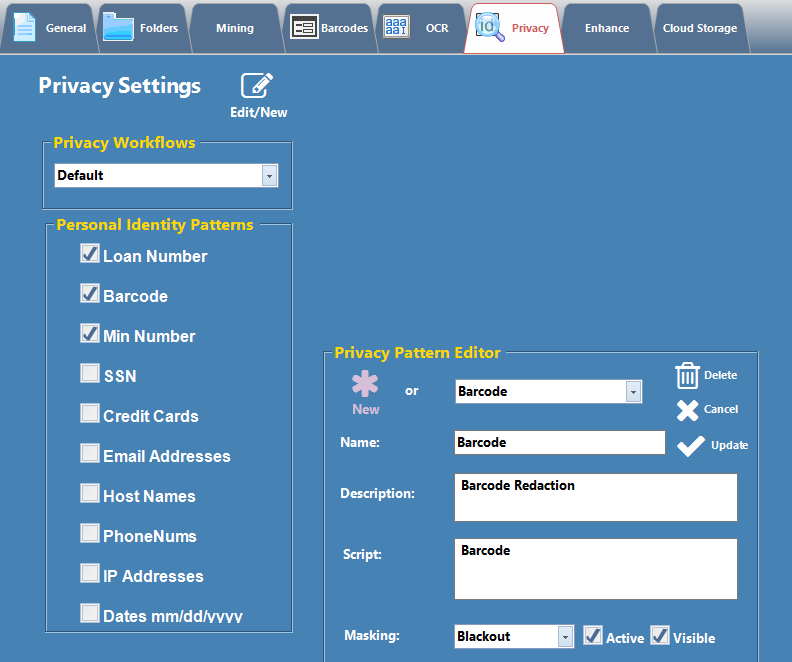
ImageRamp version 9.5 introduced the ability to permanently remove barcodes from documents along with removing other redaction patterns, like SSN or Credit Cards or unique ID numbers. To enable Barcode redaction, simply create a new Privacy Pattern with the label Barcode and the script "Barcode". This will instruct the platform to use whatever settings are found in the Barcodes settings tab to help identify barcodes. This includes filtering by the following:
|
 |
Redaction of Credit Card, SSN, Date of Birth, and Barcodes.
Barcodes can be redacted along with other defined character strings using the privacy settings configurator. Credit card data along with the childs date were blackout redacted while the SSN was whiteout redacted.
|
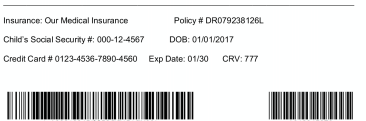
In our source document, we have an insurance form containing sensitive data stored within the barcode |
 |
| Once redacted, the data is no longer available for unwanted discovery. | 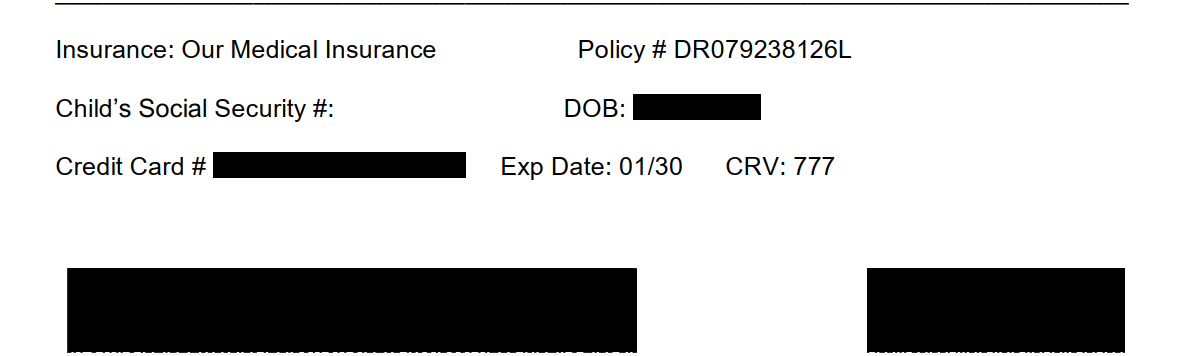 |